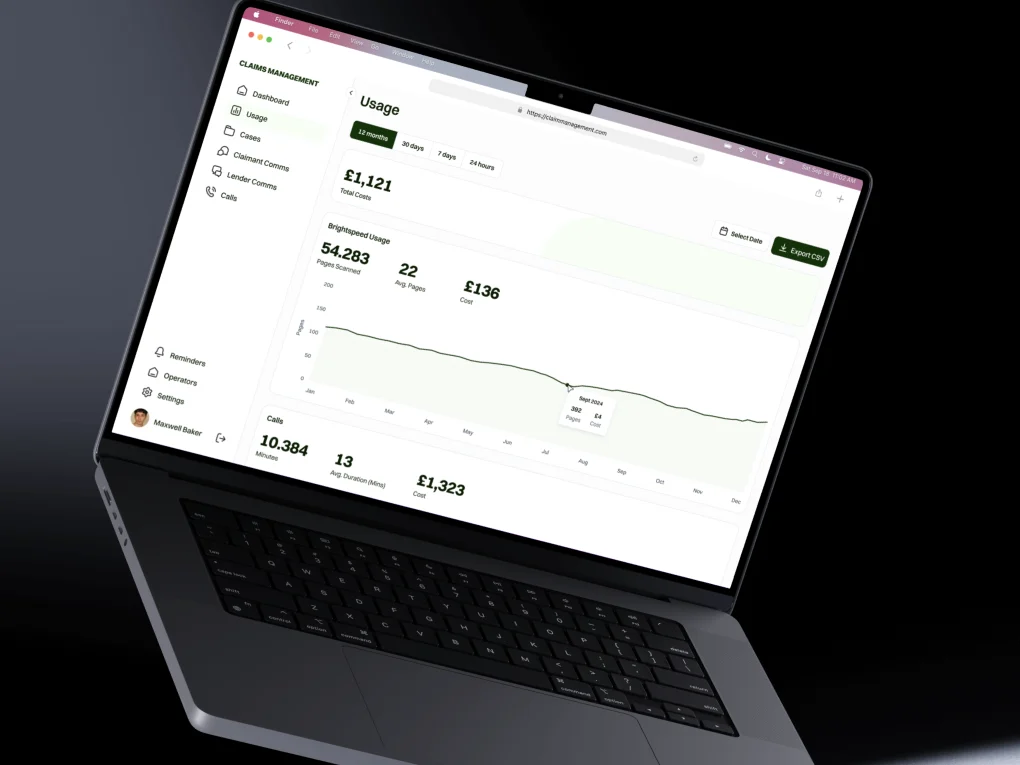
Map the workflow
We identify who uses the system, what information they need and how work moves between people.
 Discuss your project
A web application lets people work with data and complete tasks through a browser. Digital Revo designs and develops client portals, dashboards and business systems around your roles, processes and existing tools. We define a useful first version before planning the interface, backend, database and integrations.
Client portals, dashboards and internal tools that bring records, decisions and everyday work into one place.
We identify who uses the system, what information they need and how work moves between people.
We agree priorities and map screens, access rules and important states before development.
We develop the agreed features in stages so you can review working software and flag issues early.
We plan the data move, deployment and documentation. Maintenance responsibilities and any ongoing support are agreed separately.
Give clients an account to view relevant documents, submit requests or follow progress, with access rules defined for your business.
Bring agreed data sources into a clear view of the records, tasks and decisions your team needs.
Replace repeated manual steps with an interface for managing records, approvals and routine operations.
A custom application makes sense when the workflow needs it. First separate the information people need to read from the tasks they need to complete, then check whether existing software can already support those tasks.
| Approach | A good fit when | What to consider | Example scenario |
|---|---|---|---|
| Business website | Visitors mainly need to understand your services, browse information and send an enquiry. | A website can include forms and checkout. Requirements such as individual accounts, shared records and approvals need closer application planning. | A consultancy needs service pages, examples of its work and a brief enquiry form. |
| Existing business software | A standard product supports your core process and its permissions and integrations fit the team. | Check subscription costs, data export, configuration limits and the manual work left between tools before deciding. | A team needs standard contact management and follow-up reminders that an existing CRM already provides. |
| Custom web application | People need to work with records, complete approvals or access client-specific information through a workflow that existing tools do not adequately support. | Budget for requirements, access control, testing, deployment and maintenance. Start with a focused release and a clear owner for the data. | A service business needs clients to submit requests and view only their documents while staff manage reviews and status changes. |
A typical full stack toolkit for portals, dashboards and internal systems. The database, hosting and integrations are chosen to fit the product.
A website usually presents information, products or services and helps visitors enquire or buy. A web application supports ongoing tasks such as managing records, approvals or client accounts. Tell us what people need to do, and we can recommend whether a website, an existing tool or custom software fits.
Yes. We review your current website, content and tools before proposing a scope. The work may involve improving an existing setup, connecting systems or planning a replacement. Access, integrations and migration requirements need to be checked first.
Digital Revo designs and develops browser-based client portals, dashboards and internal business tools. A project can bring records, requests, approvals and documents into one workflow. We define the users, data sources, access rules and first release before planning the interface, backend, database and integrations.
Custom software is worth evaluating when an existing tool cannot support an important workflow, integration or access requirement without substantial manual work. An existing product may be sufficient when its standard features meet your needs. Digital Revo reviews the process, budget and maintenance effort before recommending a custom web application.
Yes. Digital Revo can define a minimum viable product, or MVP, around the users and tasks that matter most. We agree essential screens, roles, data and integrations, then develop in milestones so your team can review working software. Additional features can be planned after feedback from the first release.
A custom web application can connect to agreed data sources and tools when they provide suitable APIs or supported import and export options. Digital Revo checks access, authentication, data formats, service limits and failure handling before confirming an integration. Existing records and any data cleanup or migration are scoped separately from building the interface.
Digital Revo defines what each user role can view, create, edit or approve before development. For a client portal, that includes which records and documents belong to each client and which actions require staff access. Authentication, authorization and checks for the agreed access rules are part of the application scope.
The handover can include technical documentation, deployment information and guidance for the team using the application. Digital Revo agrees who manages hosting, backups, updates, integrations and support. Ongoing maintenance and new features are agreed separately, so launch does not imply an unlimited support arrangement.
Share a short brief. We’ll reply with questions and a suggested first step, and you’ll see the scope and costs before any work begins.
Prefer to talk first? WhatsApp us or send an email.
An AI assistant that answers from Digital Revo’s published information. It can make mistakes and can’t quote prices. Please don’t share personal or sensitive details: messages are sent to our AI provider to generate answers and are not stored by us.